The Operating System for Racquet Sports Coaching.

Walk the club. Six stops, one app.

One sample club, from moving in to the owner’s numbers.

Sample data on every screen.

Built for 10 racquet sports

  • Pickleball
  • Padel
  • Tennis
  • Squash
  • Badminton
  • Platform tennis
  • Beach tennis
  • Pop tennis
  • Racquetball
  • Table tennis
The club, from above
One club, six stops. Pick a stop to jump to it. Sample data.
Clubhouse · owner, first day

Bring your club in.

Upload your member list. Preview first, nothing sent, one tap to undo.
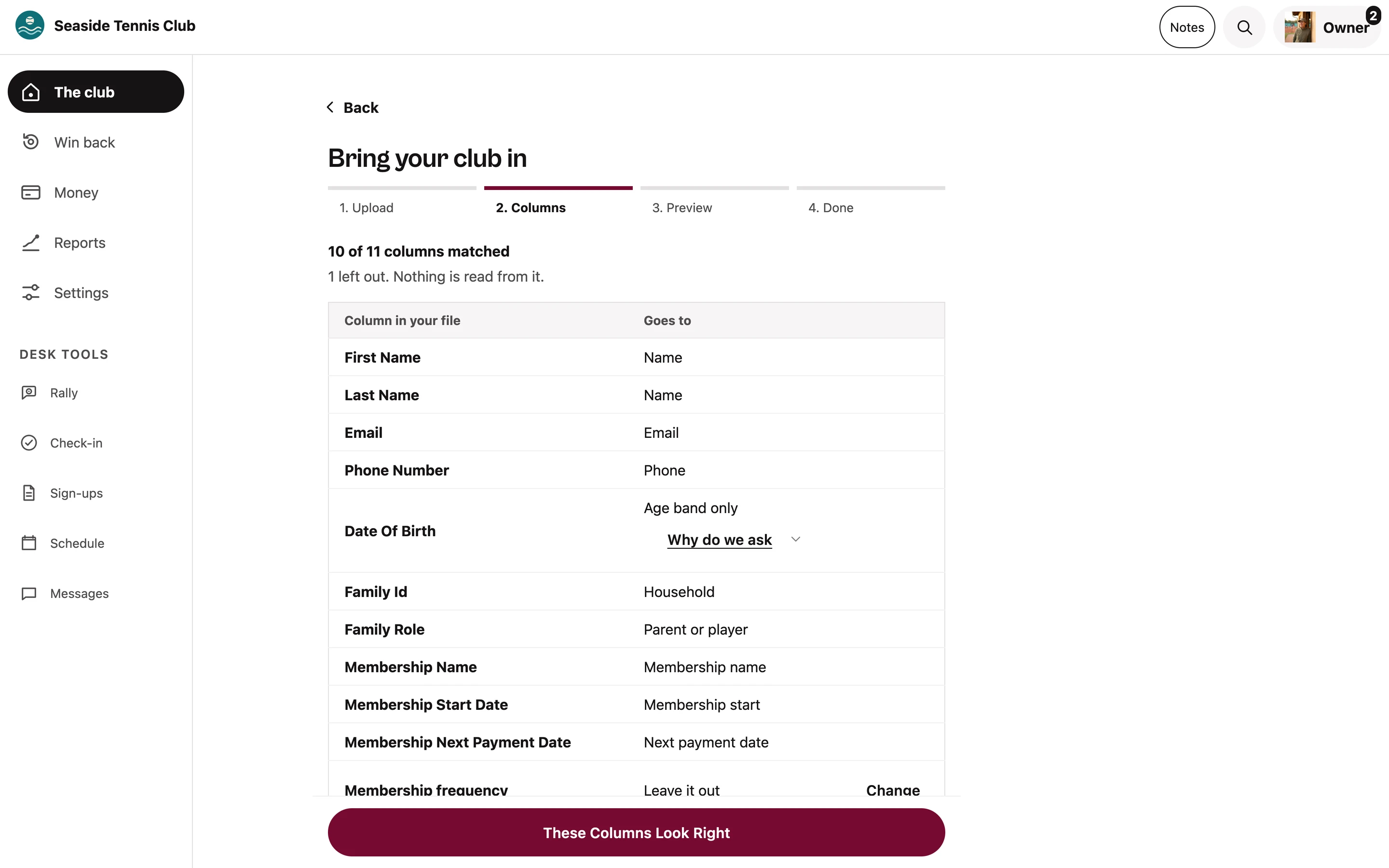
    The Bring your club in screen at step 2 of 4, Columns: 10 of 11 columns matched, each column from the uploaded file paired with where it goes, and a These Columns Look Right button.
    Step 2 of 4: columns matched, one left out, nothing sent. Sample data.
    On court · parents, on their phone

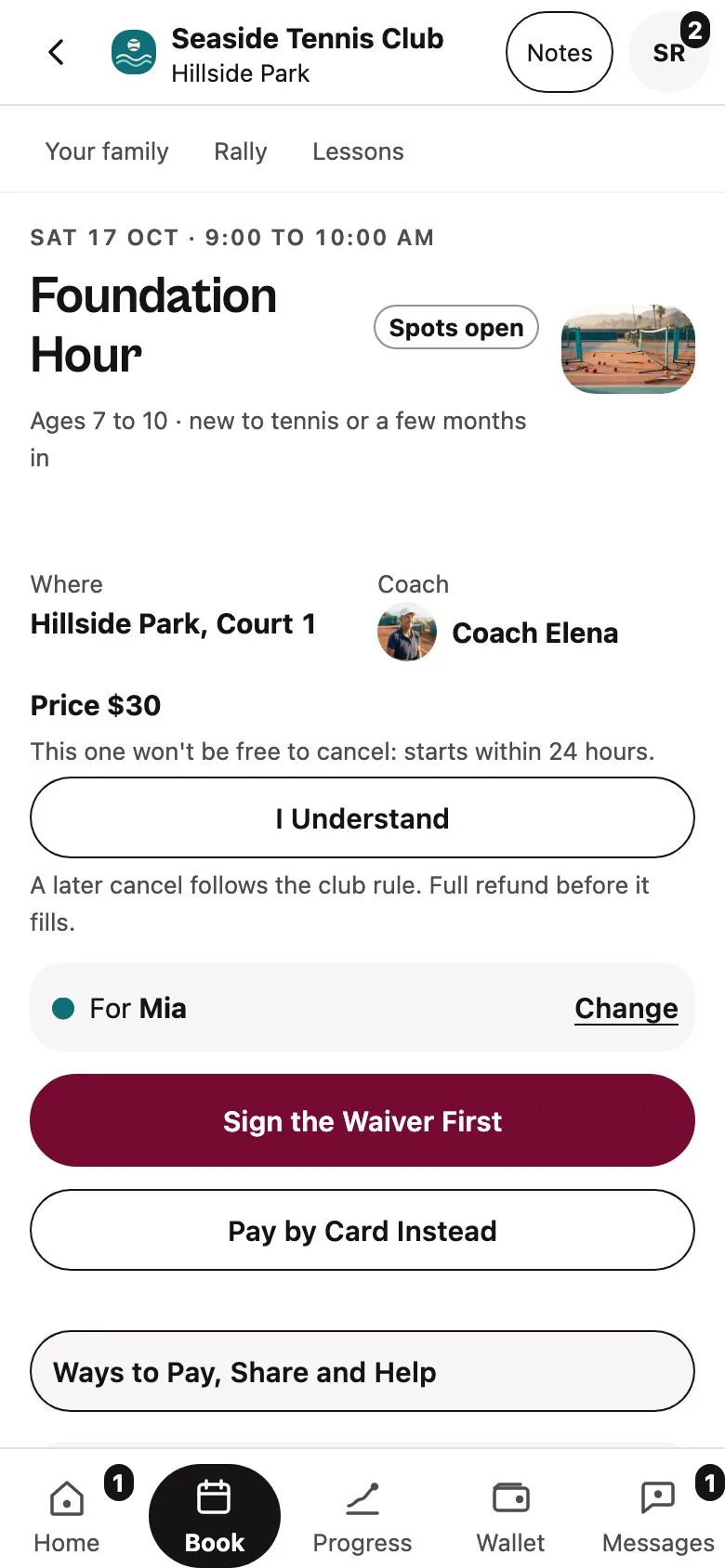
    Families book and pay.

    Parents see times and prices, book, and pay through Stripe at your prices.

      Sample: a parent books a spot in Thursday’s junior group.
      Each player rated in their own sport

      • PickleballDUPR, UTR-P
      • PadelWPR
      • TennisNTRP, WTN, UTR
      • SquashSquashLevels
      • Badminton, racquetball, table tennis, platform, beach and pop tennisThe club’s own rating
      A parent’s booking screen for a Saturday session: where, which coach, the price, the cancel rule, and buttons to sign the waiver and pay by card.
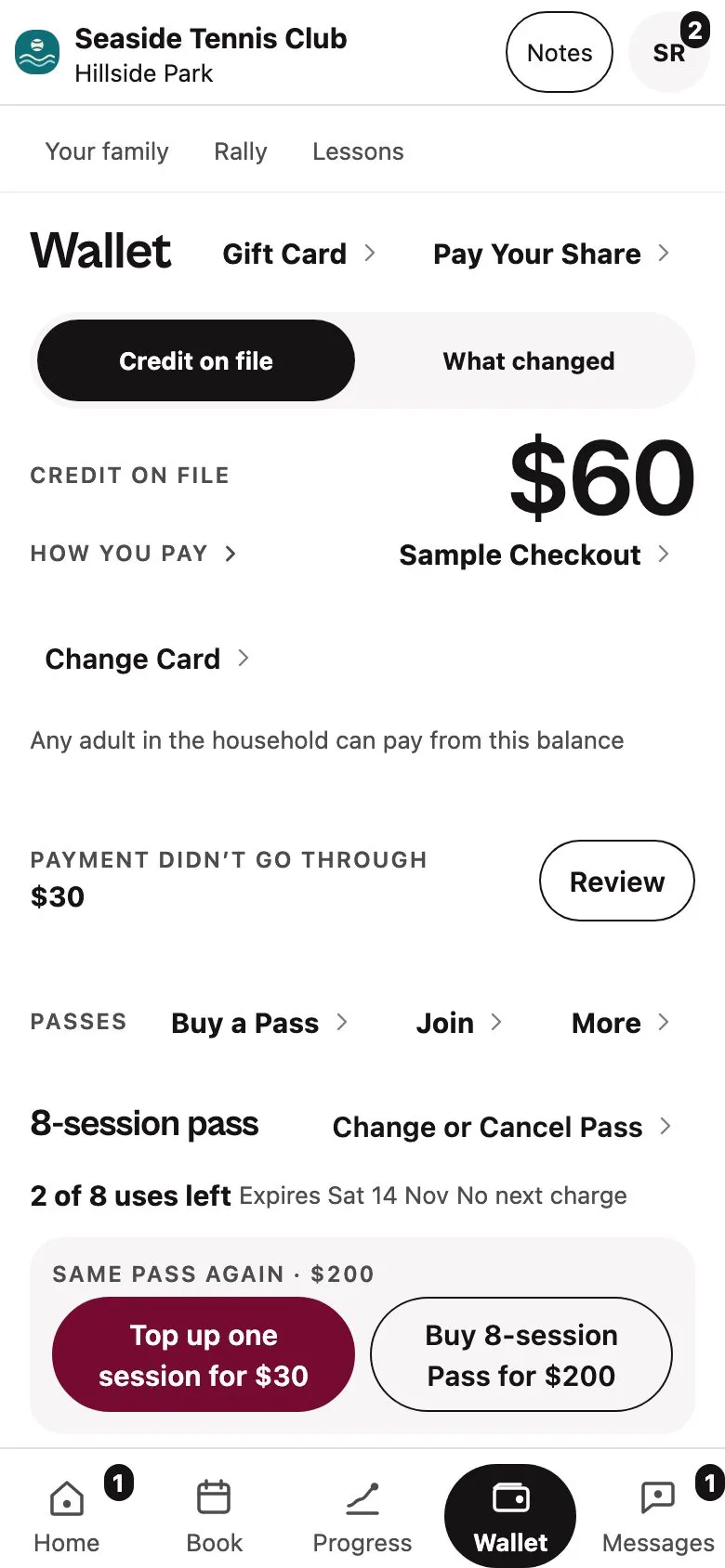
      The family’s Wallet: credit on file, a payment that needs review, and an 8-session pass with uses left.
      Booking a session, then the family’s wallet with credit and a pass. Sample data.
      Front desk · the day

      The front desk’s day, on one screen.

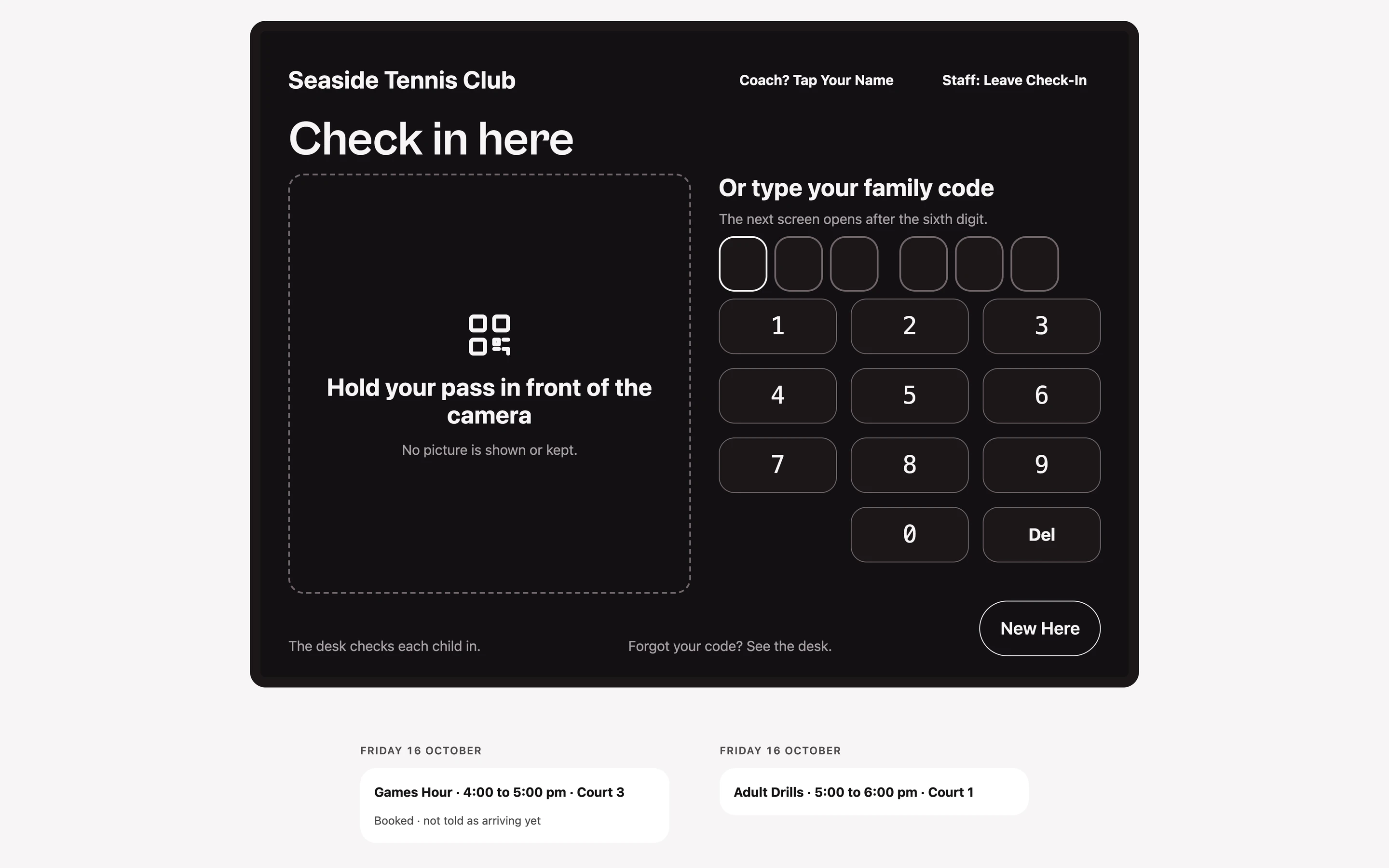
      Every court, the waitlist, and a lobby check-in. No picture is shown or kept.
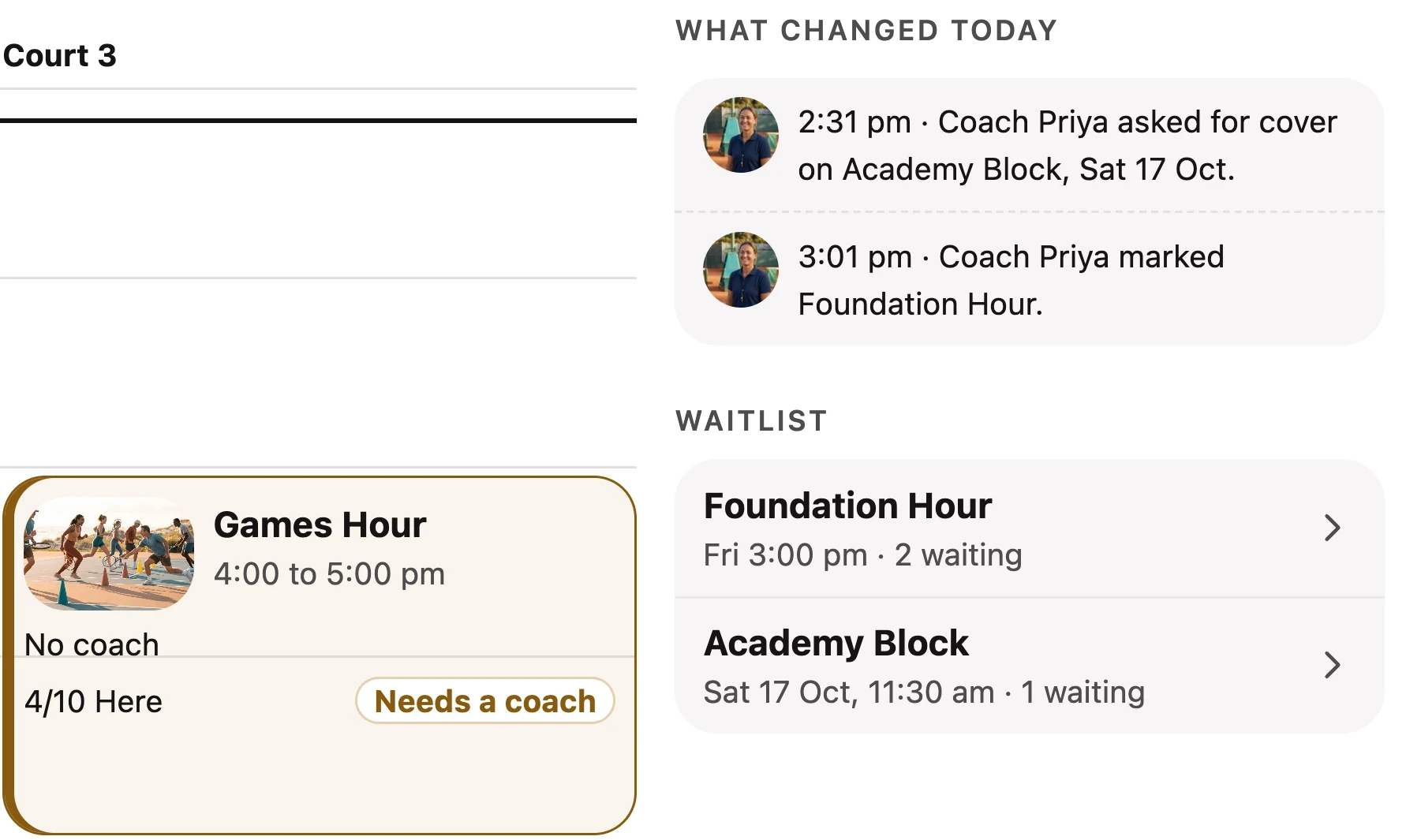
        Part of the desk’s Schedule for Friday: Games Hour on Court 3 with no coach and a Needs a coach tag, what changed today, and the waitlist for Foundation Hour and Academy Block.
        The lobby check-in screen: hold your pass in front of the camera, or type a 6-digit family code. No picture is shown or kept.
        A session that needs a coach, what changed today, the waitlist, and the lobby screen. Sample data.
        Everywhere · Rally, the assistant

        Every message gets an answer.

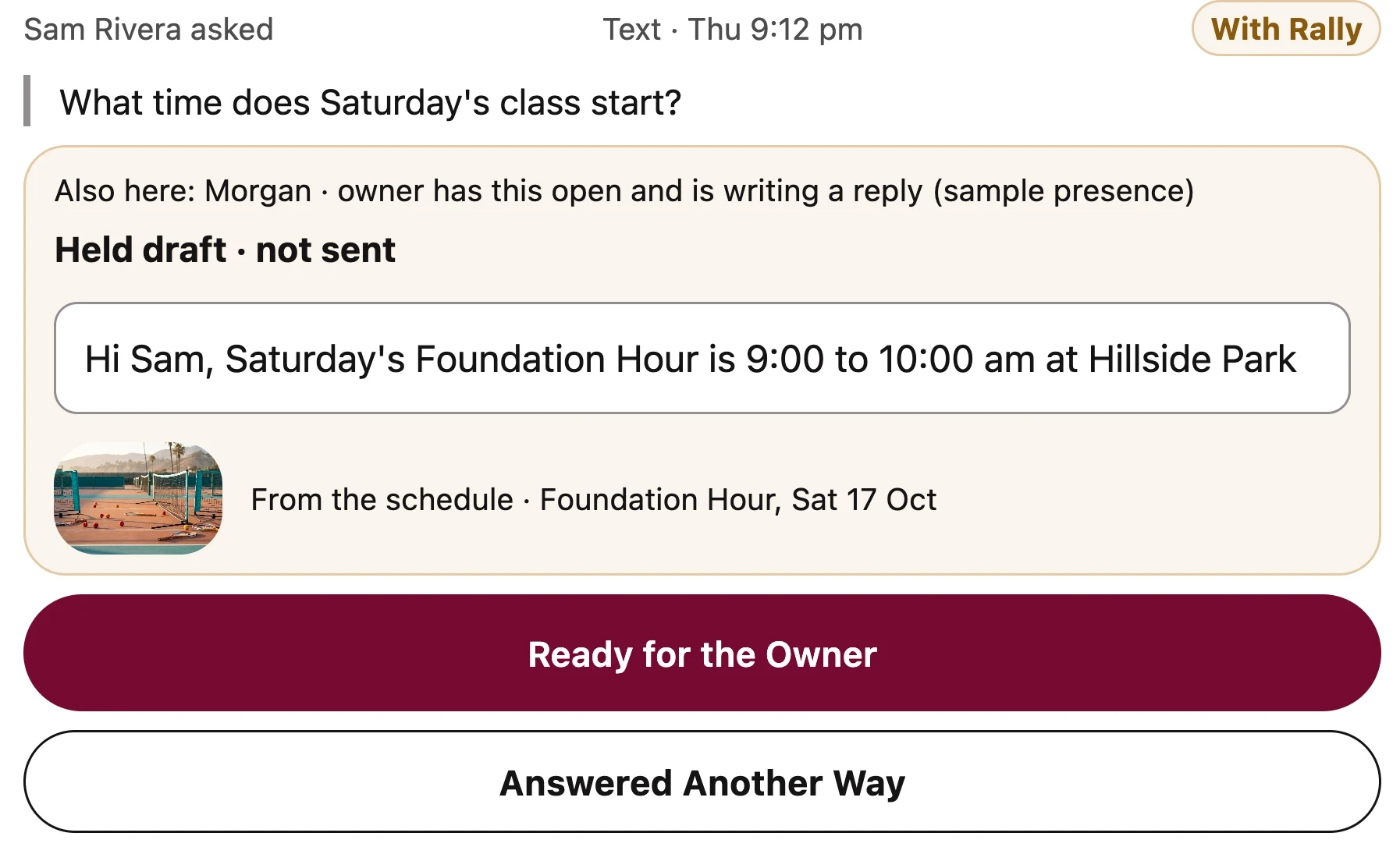
        One queue. Rally drafts each reply in your words.

        What sends on its own

        Club

        Your desk sends each reply with one tap.

        Club + Growth

        Rally runs the desk, within your limits.

        Safety, injury, behaviour and complaint messages, and any charge, always wait for a person.
          Compare plans

          The desk’s Messages: Sam Rivera asks what time Saturday’s class starts, and Rally’s held draft answers from the schedule, with Ready for the Owner and Answered Another Way buttons.
          A parent’s question, with Rally’s draft from the schedule held for a person to send. Sample data.
          On court · coach, after the session

          Notes after the session reach the family.

          Rally drafts a line per player. Nothing is shared until the coach taps Share.
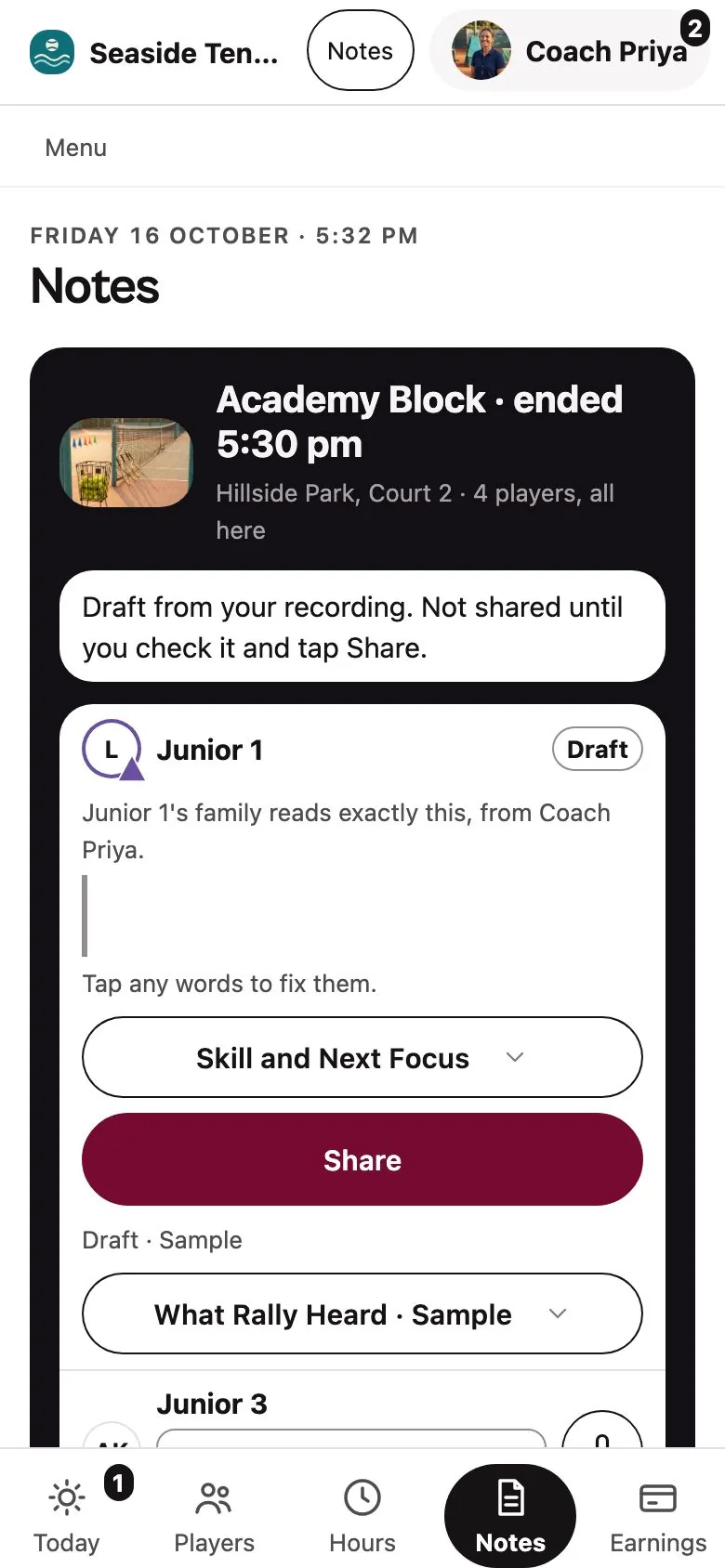
            The coach’s Notes after a session ends: a draft from the recording for each player, not shared until the coach checks it and taps Share.
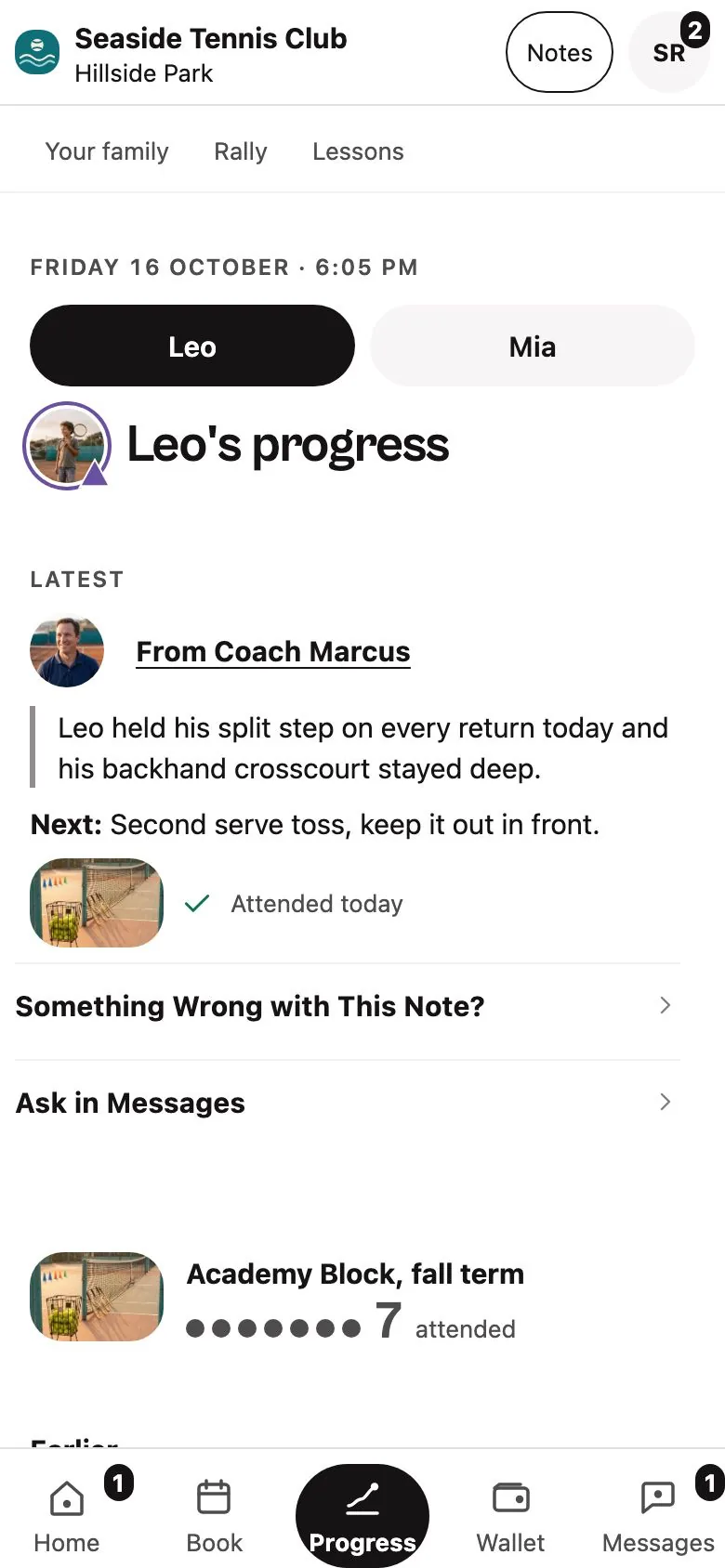
            A player’s progress page for the parent: the coach’s note, the next focus, and that the player attended today.
            A draft from the coach’s recording, then the note the family reads. Sample data.
            Scoreboard · owner, every morning

            The owner sees what’s left to decide.

            A Needs you list, then fill, attendance, no-shows and money.
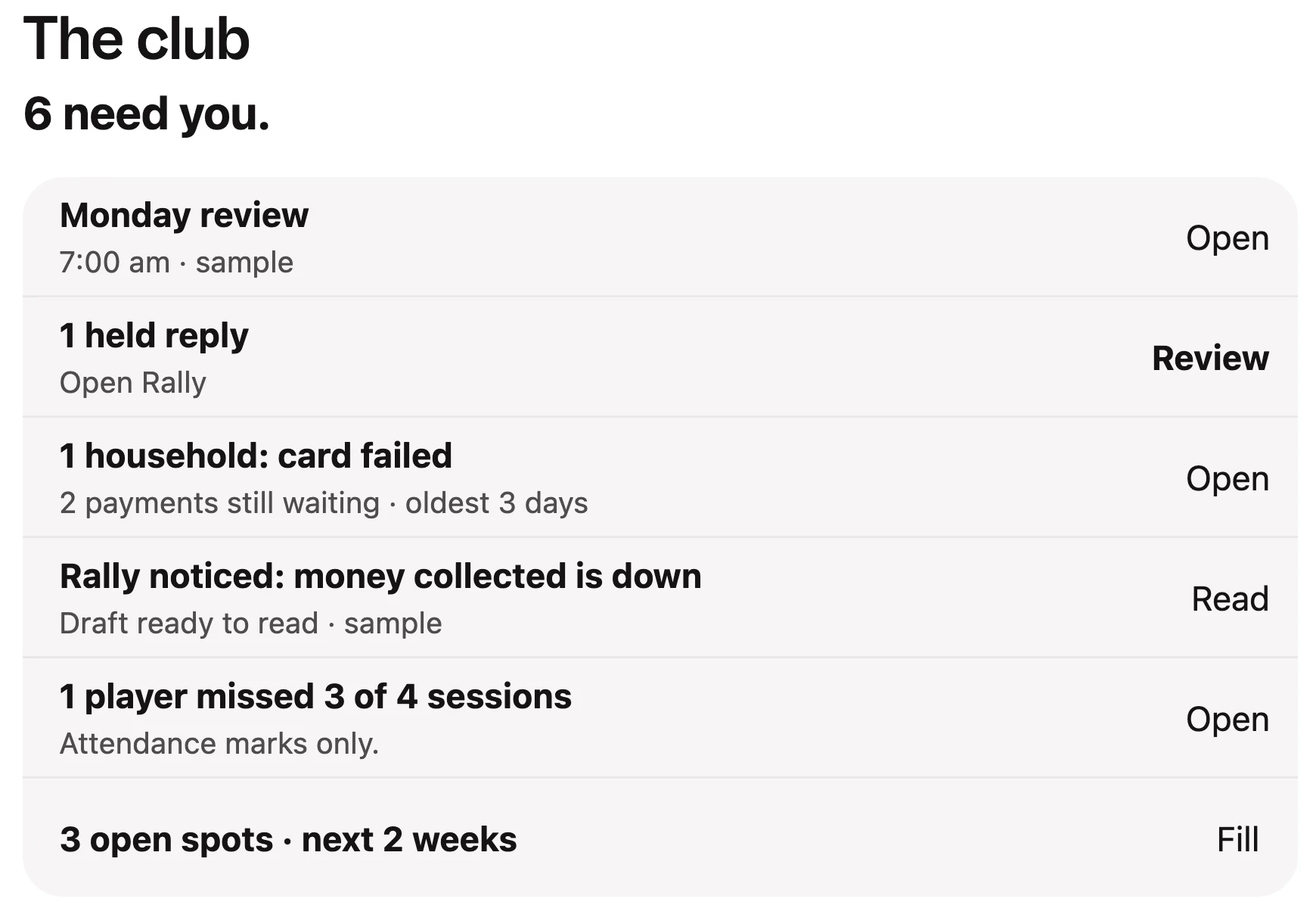
              The owner’s club page: 6 need you, a list with the Monday review, a held reply, a failed card, a money note from Rally, a missed-sessions flag and open spots.
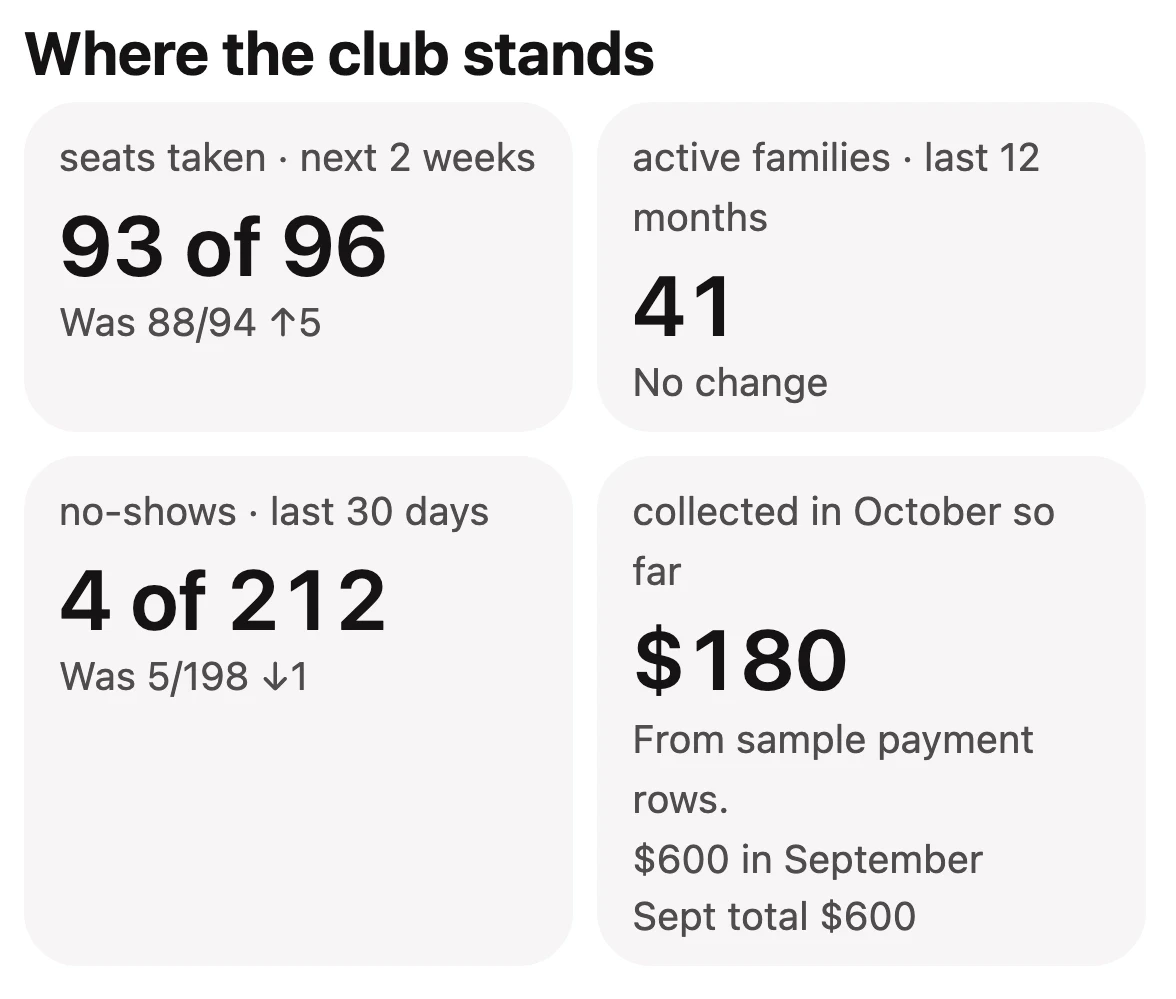
              Where the club stands: seats taken 93 of 96, 41 active families, 4 of 212 no-shows and $180 collected so far in October.
              The Needs you list and where the club stands. Sample data.

              See it run with your own schedule.

              We run these screens with your courts and prices.

              Will Rally replace my front desk?

              No. It takes the typing off your desk.

              See pricing

              Youth programs: child-safety checks and final legal wording are confirmed before any youth-facing launch.

              Request a walkthrough

              Tell us what you run today. We’ll show you the product and talk through your week.

              Count your whole operation. Solo coaches can enter 0 courts if they teach at other venues.

              No spam. Just a real reply to set up your walkthrough. By submitting, you agree to our Privacy Policy.